
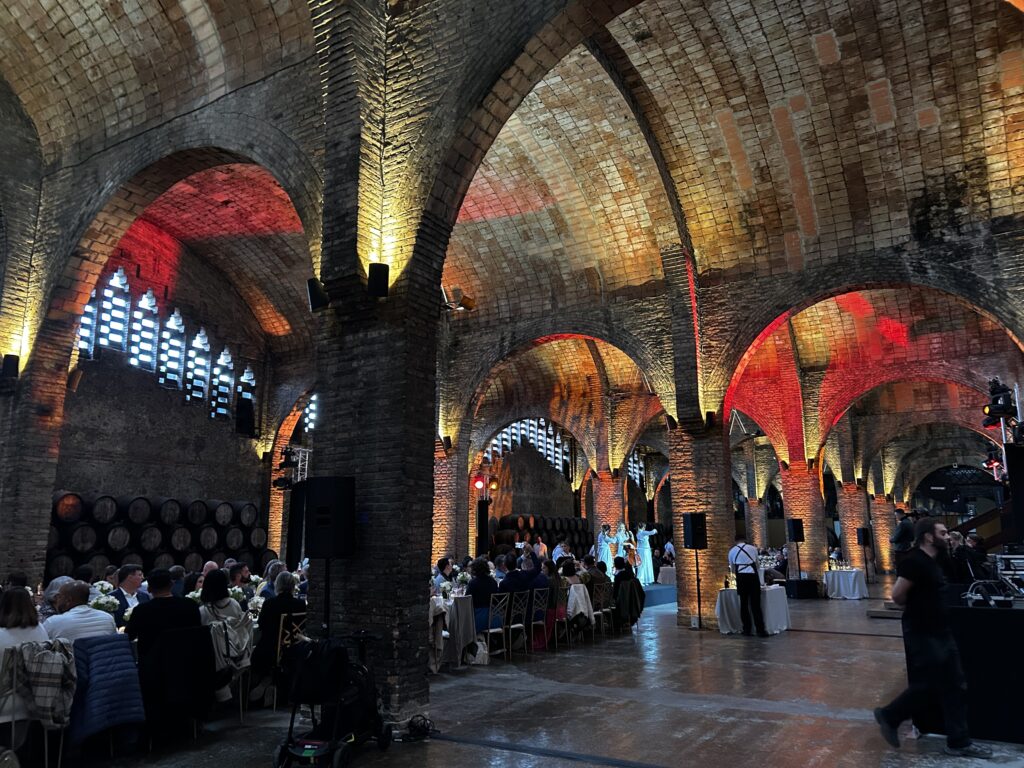
A presentation can look impressive from the centre of the room and feel very different from the back row. A chart is too small to read. A column hides part of the screen. A question from the audience never reaches the microphone.
These details shape how people experience an event. The message and the people delivering it give attendees something to remember, but audiovisual planning helps that message reach them. Before choosing equipment, it is worth asking a simple question: can everyone follow what is happening comfortably?
Start with the room and the people in it
Room layout affects much more than capacity. It determines the distance between the audience and the stage, the angle from which people see the content and how easily they can take part.
Theatre seating may suit a keynote, while cabaret tables can support discussion between sessions. Each arrangement creates different viewing positions. Someone seated at the side of a round table may spend an entire presentation turning towards the stage. In a long, narrow room, the last few rows may need a different screen solution from those at the front.
Share the proposed seating plan with the audiovisual team before the layout is final. Include accessible seating positions, aisles and camera locations. Reviewing these together makes it easier to spot where the audience experience needs attention.
Check sightlines from the seats that are hardest to serve
A sightline is the clear line of view between an attendee and the stage or screen. Checking it means looking beyond the central aisle. Columns, scenery, camera platforms and the people sitting in front can all interrupt that view.
During a technical site visit, assess the room from seated eye level. Check the back rows and the outer edges, as well as accessible seating areas. A view that looks clear when standing can change once the room is occupied.
Sometimes the answer is to move a seating block or adjust the stage position. In other spaces, additional screens may be needed. Raising a screen can help clear an obstruction, but its height also needs to remain comfortable for the people closest to it. These decisions work best when the stage, seating and audiovisual design are developed together.
Position screens around the content
Being able to see a screen does not necessarily mean being able to read it. Screen size and placement should reflect the viewing distances, the angles across the room and the detail the audience needs to see. A large product image and a slide full of financial figures make very different demands on the same display.
Test actual presentation slides from the farthest seats. If labels are too small, simplifying the slide or increasing the text size may be part of the solution. In a wide room, side screens can give attendees a more comfortable view. In a deeper space, relay screens can bring the content closer to the rear seating.
Ambient light and stage lighting also matter. Check that the image remains clear under the lighting planned for the session, and that a moving presenter will not obscure essential information. Where live camera images are used, agree when the screens should show the speaker and when the presentation needs the full frame.
Make speech easy to follow across the room
Clear visibility needs equally clear sound. Attendees should be able to understand a speaker without straining, whether they are near the stage or at the back. Increasing the volume alone will not solve uneven coverage or a reverberant room.
Loudspeaker positions, microphone choice and system tuning all affect speech clarity. Larger or deeper spaces may need additional loudspeakers, with their timing adjusted so speech arrives coherently. Check the result from several audience positions, including areas away from the main seating block.
Plan for the less predictable moments too. If there is a Q&A, decide how a microphone will reach each person asking a question. Test video sound and remote contributions as part of the programme. An exchange only becomes a shared moment when the whole room can follow it.
Rehearse the experience from the audience’s perspective
Before doors open, run through the event with the final content and the planned lighting. Sit near the front, at the back and to one side. Check whether a slide can be read, whether a quiet sentence is intelligible and whether a transition gives people enough time to follow the change.
Good audiovisual planning gives attendees room to focus on the event itself. They can follow an idea, notice a speaker’s expression and join a conversation without having to work around the room. That is a useful starting point for an experience they will want to remember.
Planning an event? Tell us about your idea, and we can help you work through the audiovisual needs of your space.
